


MWE INSIGHTS / DISPLAY KNOWLEDGE
How to Choose an Outdoor Digital Signage Display: A Buyer’s Guide
Learn how to choose an outdoor digital signage display by comparing sunlight readability, weather protection, installation, content management and total ownership costs. Includes a practical buyer’s checklist.
Choosing an outdoor digital signage display starts with the installation site, not the screen size. The right choice must make your content readable, suit the local environment and remain practical to operate and maintain.
This buyer’s guide focuses on commercial LCD signage for applications such as retail advertising, public information, wayfinding and digital menus. Use it to prepare a clear project brief and compare supplier proposals on the same basis.
1. Start with the installation site
Before comparing screens, define where the display will operate and what people need to do after seeing it. A pedestrian reading a directory has different needs from a customer viewing a drive-thru menu.
Record the installation address, screen orientation, hours of operation, viewing distance and exposure to direct sunlight and rain. Take photos at different times of day. Note nearby buildings, trees, irrigation systems and reflective surfaces. These details give suppliers a useful starting point for recommending a configuration.
Distinguish a fully exposed outdoor installation from a sheltered entrance or a display behind a shop window. A window-facing screen should not be assumed suitable for installation outdoors.
2. Evaluate sunlight readability
A brightness figure alone does not tell you whether customers can read your message. Reflections, viewing angle, cover glass and content design also affect the result. Compare displays under conditions that resemble your installation, using your own content where possible.
- Ask whether the quoted brightness describes the panel or the assembled display.
- Check how automatic brightness adjustment works from daytime through evening.
- Review text size and contrast at the intended viewing distance.
- Ask what anti-reflective treatment or optical bonding options are available for the proposed model.
For a menu or wayfinding screen, test the smallest text that visitors actually need to read. For advertising, test whether the main message is understandable during the expected viewing time.
3. Check environmental protection and cooling
Ask for the enclosure protection rating and supporting documentation for the exact configuration being quoted. Confirm which parts of the installed assembly are covered, including doors, connectors and cable entry points. An enclosure rating does not answer every question about condensation, corrosion, solar heating or long-term maintenance.
Give the supplier the site’s expected temperature range, humidity, sun exposure and any coastal or dusty conditions. Ask how the complete display manages internal heat, which cooling components require servicing and what clearance is needed around ventilation openings.
Confirm the complete unit’s operating limits rather than relying on a panel component’s temperature rating. Also ask how the system responds to overheating and whether it can report a temperature alarm.
4. Match the screen and mounting format to the task
Choose screen size from the content and viewing distance, then check that the proposed mounting location supports it. Portrait displays can suit directories and advertising; landscape displays can suit menus and broader layouts. Test the actual artwork before deciding.
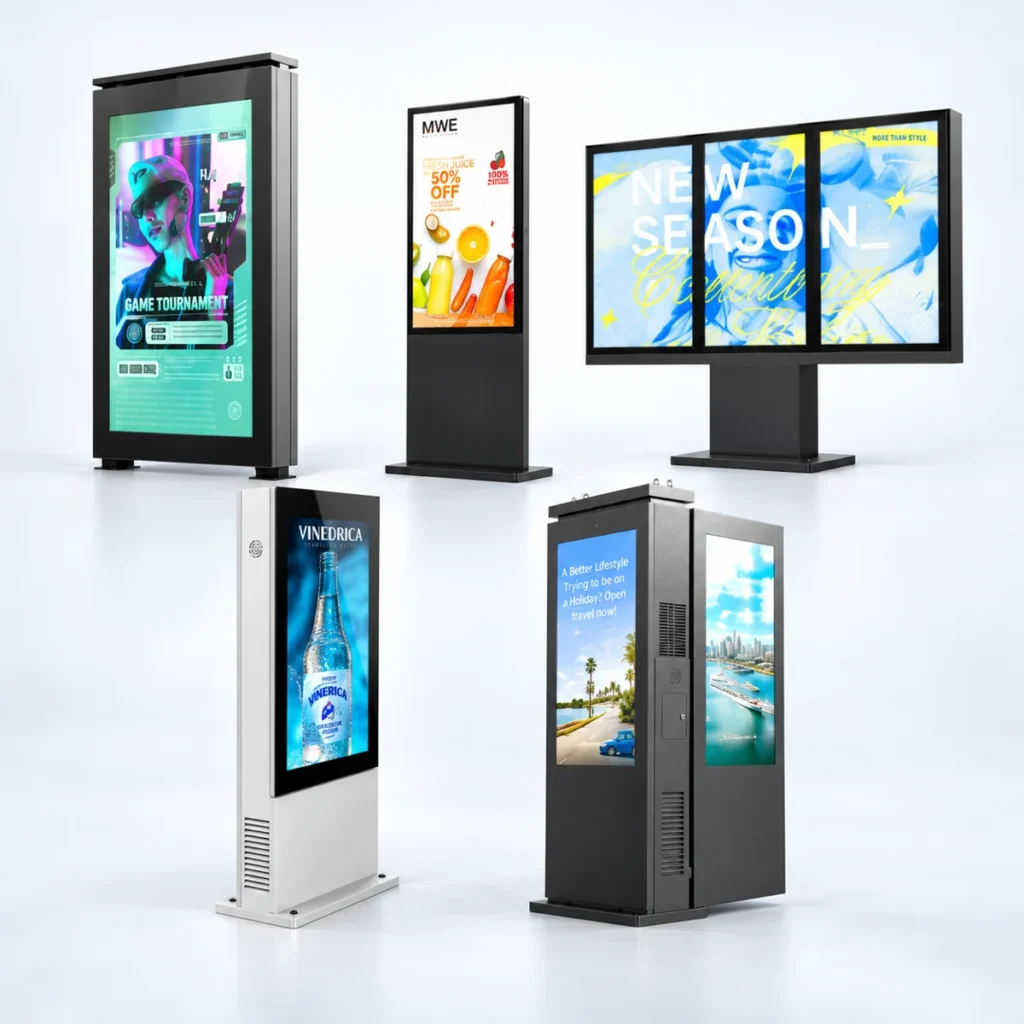
A floor-standing unit needs a suitable foundation, cable route and service area. A wall-mounted display needs an appropriate supporting structure and maintenance access. For a double-sided unit, assess sunlight and viewing conditions on each face separately.
Request dimensions, weight, fixing details and service-door clearance for the selected configuration. Have the relevant installation professionals confirm structural, electrical and local installation requirements before ordering.
5. Review content management and connectivity
The screen is only one part of the system. Decide who will update content, how often it will change and whether several locations need coordinated schedules. Ask for a demonstration using a typical task, such as replacing a menu, scheduling a promotion or updating a group of screens.
- Confirm compatibility with your preferred player, operating system and content formats.
- Check available network connections and any recurring connectivity costs.
- Test what happens to downloaded content when the network goes offline.
- Review account permissions, update procedures and remote support access.
- Distinguish content scheduling from device monitoring, fault alerts and remote recovery.
Ask which software features and licenses are included in the quotation and which require additional fees. Explore MWE CMS and remote device management as part of that discussion.
6. Compare total cost and service support
Compare quotations for the same scope. A lower equipment price may exclude mounting hardware, a media player, freight, installation, software or commissioning. Request an itemized quotation so you can see the differences.
For running costs, ask for typical and maximum power consumption and the conditions used to measure them. Build your estimate around operating hours, brightness settings, climate and local electricity pricing.
Review the written warranty for the exact model and destination market. Clarify coverage, exclusions, freight responsibility, spare-parts availability and the process for diagnosing faults. Ask which components can be replaced on site and whether maintenance requires removing the display from its mounting.
7. Prepare a buyer’s checklist before requesting a quote
Send the same project brief to each supplier so recommendations and prices are easier to compare.
- Application: advertising, menus, wayfinding or public information.
- Site: address, photographs, sun direction, weather exposure and local environment.
- Audience: viewing distance, viewing angle and expected reading time.
- Display: preferred size, orientation, single or double-sided format and operating hours.
- Installation: floor or wall mounting, available power, network access and service clearance.
- Content: sample files, update frequency, scheduling needs and number of locations.
- Support: installation responsibility, warranty expectations, maintenance plan and spare parts.
- Commercial scope: quantity, destination, target timeline and budget range.
Before placing a larger order, agree on acceptance criteria and consider a sample or pilot installation. Use the pilot to assess readability, content updates and service access under representative conditions.
Frequently asked questions
Q1. How bright should an outdoor digital signage display be?
There is no single brightness figure that suits every installation. Direct sunlight, screen orientation, reflections and viewing distance all matter. Ask the supplier to recommend a configuration for your site and assess it with your actual content. Confirm how brightness is measured and whether automatic dimming is included.
Q2. Does a weatherproof rating mean the display suits every outdoor location?
No. Check the protection rating and supporting documentation for the complete configuration, including cable entries and connectors. Separately assess operating temperature, condensation, corrosion and impact exposure. A sheltered entrance, an exposed plaza and a coastal installation can require different designs.
Q3. Do all outdoor displays need air conditioning?
No. Cooling should be selected for the complete unit and the installation conditions. Share the site’s temperature range, sun exposure and operating hours with the supplier. Ask how the proposed cooling system handles heat, what maintenance it needs and what happens if the internal temperature exceeds its limits.
Q4. Can outdoor digital signage keep playing when the internet is unavailable?
It depends on the player and software configuration. Downloaded content may continue playing locally if offline playback is supported. Live feeds and remote updates may stop until the connection returns. Ask for an offline demonstration and confirm which functions remain available during an outage.
Q5. What information should I send when requesting a quotation?
Provide the location, installation photos, intended content, viewing distance, preferred size and orientation, quantity and operating hours. Include weather exposure, mounting conditions, power and network availability, destination and target delivery date. These details help suppliers quote a comparable scope and identify site-specific requirements.