


MWE INSIGHTS / DISPLAY KNOWLEDGE
Window-Facing Displays vs. Outdoor Digital Signage: Which Do You Need?
Compare window-facing displays and outdoor digital signage by installation location, sunlight readability, weather exposure and service needs. Find the right starting point for your project.
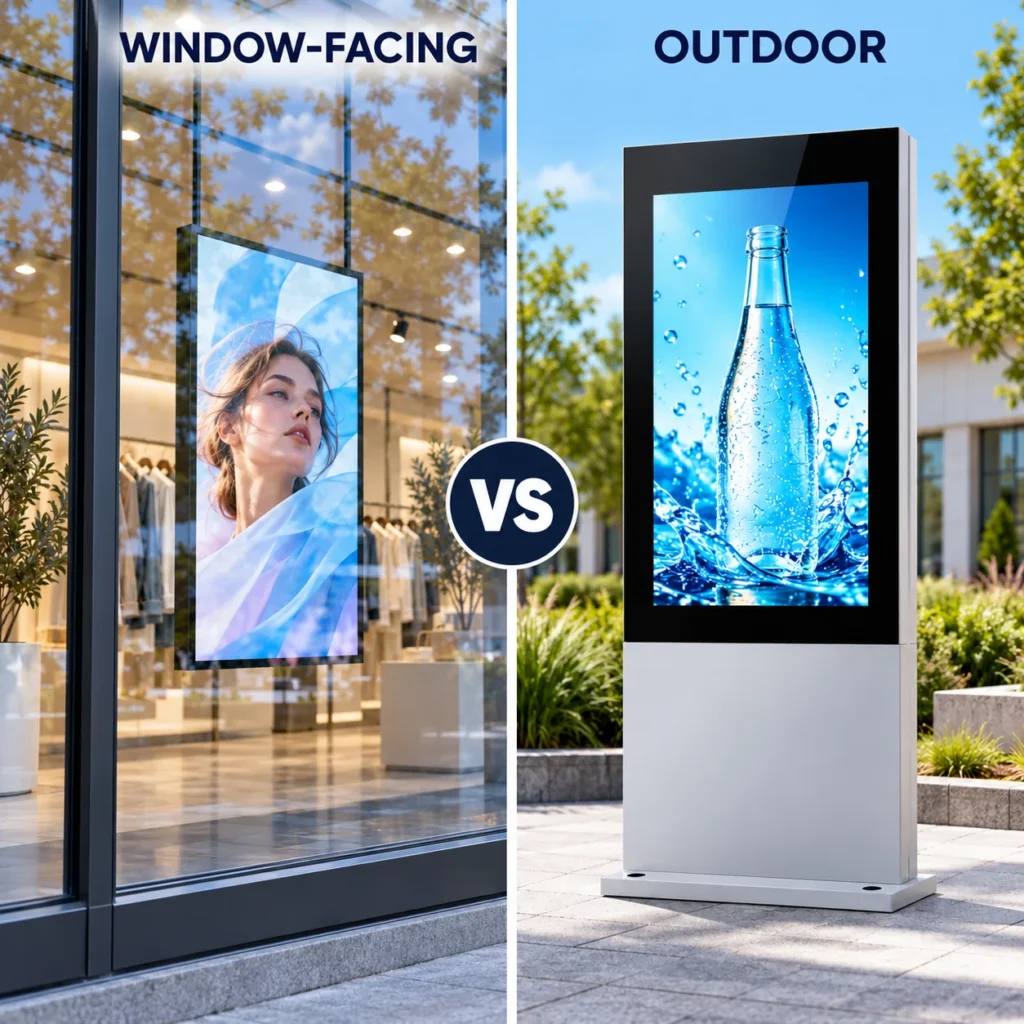
Choose a window-facing display when the screen sits indoors and communicates through storefront glass. Choose outdoor digital signage when the installed system needs to operate outside in the site’s weather conditions.
The audience may stand on the same pavement in both cases, but the display’s environment is different. This guide compares commercial LCD signage for retailers, project buyers and integrators planning storefront or exterior installations.
1. The key difference: where the display operates
A window-facing display is typically installed inside a building, with its screen directed through the storefront glass toward people outside. Outdoor digital signage is designed for an installation exposed to outdoor conditions. Both may use high-brightness LCD panels, but they solve different installation problems.
For a shop-window promotion, start by evaluating a window-facing display. For a pavement totem, exterior wall or exposed ordering point, start with an outdoor-rated system. A sheltered entrance needs a closer assessment of rain, dust, humidity and temperature before either category is selected.
Start with exposure: Can rain, wind-driven moisture or outdoor dust reach the display and its connections? Then confirm readability and thermal performance for that location.
2. Window-facing vs. outdoor: a practical comparison
| Decision factor | Window-facing display | Outdoor digital signage |
|---|---|---|
| Typical location | Inside a storefront, facing out through glass | Outside on a wall, foundation or suitable support |
| Viewing conditions | Street light and reflections from the shop window | Direct ambient light and reflections from the display cover |
| Weather protection | Building provides the main weather barrier; check the model’s limits | Complete installed assembly needs protection suitable for site exposure |
| Heat assessment | Sunlight through glass, enclosed window space and room ventilation | Solar load, ambient temperature and enclosure cooling |
| Installation | Indoor mounting with specified clearance from glass and ventilation paths | Mounting structure, cable entries, drainage and service access |
| Maintenance | Usually accessed from inside the premises | Requires an outdoor service plan and safe access |
These are category-level starting points. Product names such as “high brightness,” “semi-outdoor” or “window display” do not replace the installation manual for the quoted model.
3. Compare readability through the actual glass
Brightness is measured in nits, also expressed as cd/m². The number is useful, but it cannot predict the complete viewing experience. Window reflections, tinted glass, screen angle, content contrast and viewing distance all influence whether a passerby can read the message.
For a window-facing installation, assess the screen from the pavement through the actual glazing. Check it when the window receives its strongest sunlight and when surrounding buildings or traffic create reflections. An indoor demonstration without that glass may give a different impression.
For outdoor signage, test the complete display, including its protective front surface. Ask whether the brightness quotation refers to the LCD panel or the finished assembly, and how daytime and evening brightness are controlled.
- Use the real promotion, menu or directory artwork during testing.
- Check the smallest essential text at the intended viewing distance.
- Review visibility from the angles people approach the site.
- Ask how automatic dimming works and whether schedules can be adjusted.
A brighter window-facing screen does not automatically become an outdoor display. Readability and environmental protection are separate requirements.
4. Check weather protection and heat separately
Storefront glass can keep rain away while the display still receives substantial sunlight. A narrow space between the screen and window can also restrict airflow. Confirm permitted glass clearance, ventilation and the complete unit’s operating temperature range with the supplier.
For an outdoor installation, review the enclosure, connectors, service doors and cable entries as one installed system. Ask for the relevant ingress-protection documentation for the exact configuration. Also discuss condensation, coastal exposure and dust where they apply; an IP rating alone does not describe every environmental risk.
Thermal claims need careful interpretation. A panel’s resistance to heat-related blackening is different from the operating limit of the complete display, power supply and player. Ask what happens under high solar load, whether brightness is reduced, and how overheating is detected.
Do not assume a roof or canopy creates indoor conditions. Wind-driven rain, cleaning water and changing humidity may still reach the equipment.
5. Choose by scenario, then confirm the configuration
Scenario 1: a retail promotion behind a shop window
A window-facing display is a logical starting point when the unit remains inside a dry interior and the audience views it from the street. Confirm glazing, sun direction, available ventilation and mounting clearance. For a double-sided model, check the outward and inward screen specifications separately. Explore our retail digital signage solutions for storefront applications and project examples.
Scenario 2: a freestanding display outside a store
Start with outdoor digital signage when the complete unit stands outside the building envelope. In addition to readability, assess the foundation, support, power route, enclosure protection and access for maintenance. Installation professionals should confirm structural and electrical requirements for the site.
Scenario 3: an entrance under a canopy
Provide photos showing the canopy depth, open sides and display location. Describe exposure during storms, cleaning and seasonal temperature changes. Ask the supplier to confirm a suitable configuration in writing; “sheltered” by itself is not a technical specification.
For a broader buying checklist, read our outdoor digital signage buyer’s guide.
Explore window-facing display models and outdoor digital signage to compare available formats, then request details for the exact model.
6. Compare installation and ownership costs
Compare quotations against the same project brief. Include the display, player, mounting hardware, delivery, installation and software licensing. Outdoor projects may also need foundation work, protected cable routes and different maintenance arrangements; the actual scope depends on the site.
Ask for typical and maximum power consumption with the measurement conditions. Estimate running costs using your operating hours, brightness settings, climate and electricity tariff. Do not infer energy use from the brightness number alone.
For both categories, confirm content scheduling, network options, offline playback and remote support. Check the written warranty, available spare parts and how a technician reaches replaceable components. Easy access can matter throughout the display’s service life.
7. Send a clear brief before requesting a quote
Give each supplier the same information so their recommendations are easier to compare.
- Position: inside the glass, outside the building or beneath a canopy.
- Exposure: direct sun, rain, dust, humidity and local temperature range.
- Glazing: window photos, tint or film details, and proposed glass-to-screen clearance.
- Audience: viewing distance, approach angle and sample content.
- Format: size, orientation, single or double-sided design and mounting method.
- Operation: daily hours, content updates, network connection and number of sites.
- Service: ventilation space, access, warranty scope and maintenance responsibility.
Before ordering multiple units, agree on acceptance criteria and consider a pilot at a representative location. Check readability, thermal behavior and content updates under the conditions the display will actually face.
Frequently asked questions
Q1. Can a window-facing display be installed outdoors?
Only if the supplier confirms that the exact model and installed configuration are suitable for the exposure. High brightness alone is not evidence of weather protection.
Q2. Can an outdoor display be installed behind a shop window?
It may be possible, subject to the manufacturer’s installation requirements. Check clearance, cooling, reflections, weight and service access rather than assuming it is the best fit.
Q3. Does every window-facing display need the same brightness?
No. Glazing, sunlight, reflections, content and viewing distance vary by site. Test under representative conditions and agree on the required result with the supplier.
Q4. Which option should I choose for a sheltered entrance?
Assess the actual exposure first. Share site photos and environmental details so the supplier can confirm a suitable display configuration.